New Store & Track related documents feature
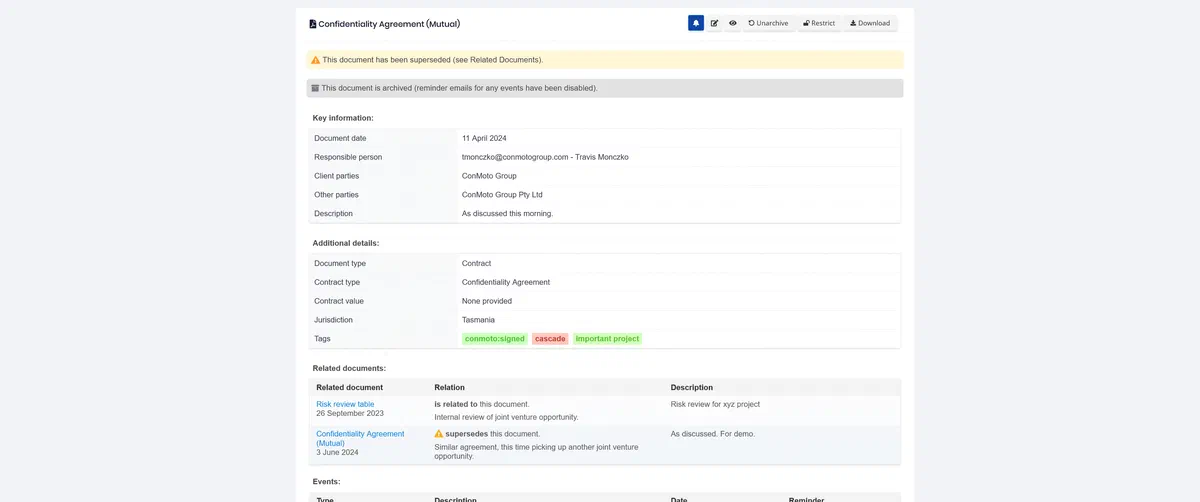
Store & Track on Cadence is a secure central location to store signed contracts and other documents (e.g. insurance policies and trademarks) and to track key dates and events.
This month’s update includes several highlights:
Highlight 1: Related documents
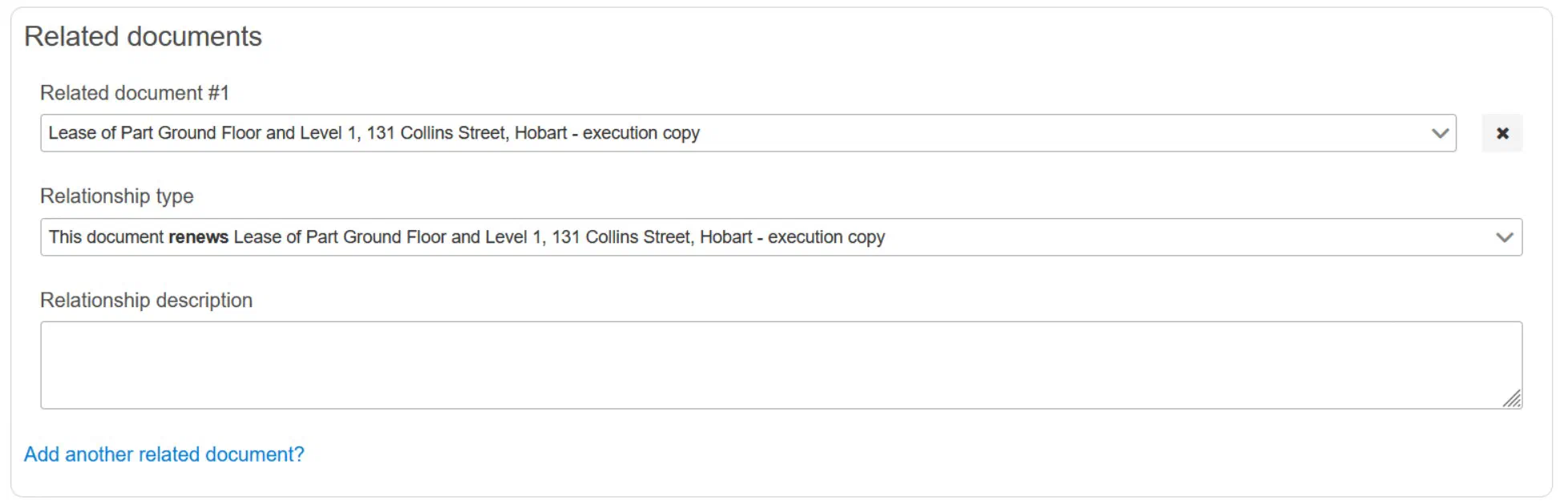
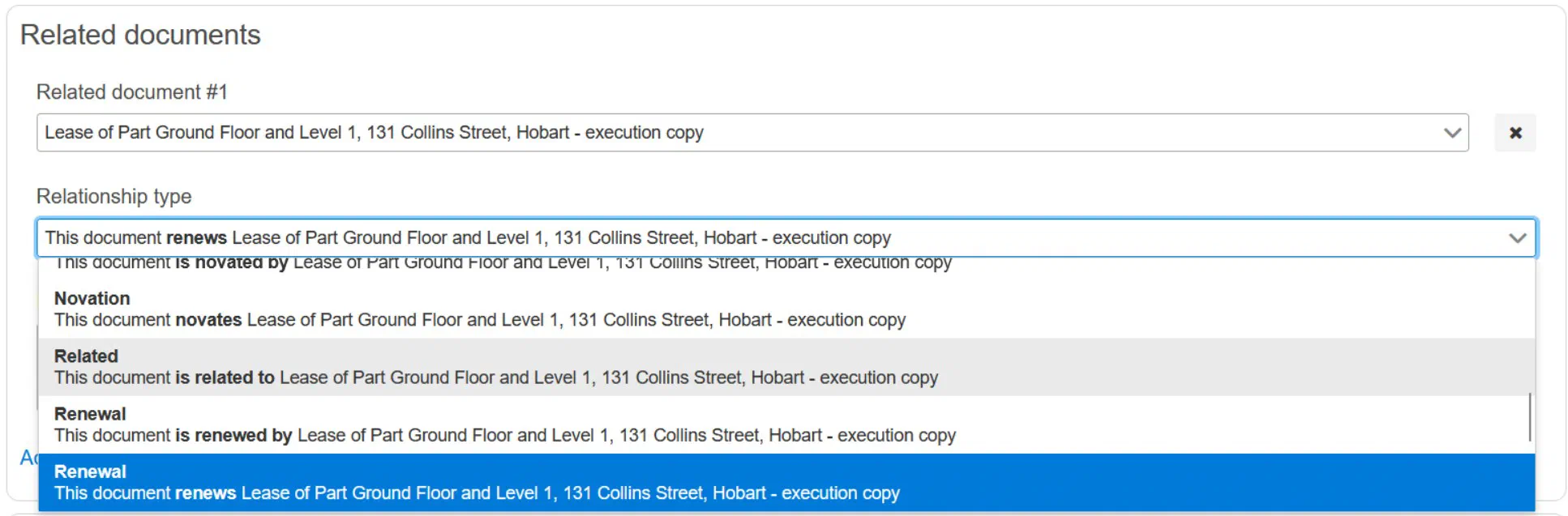
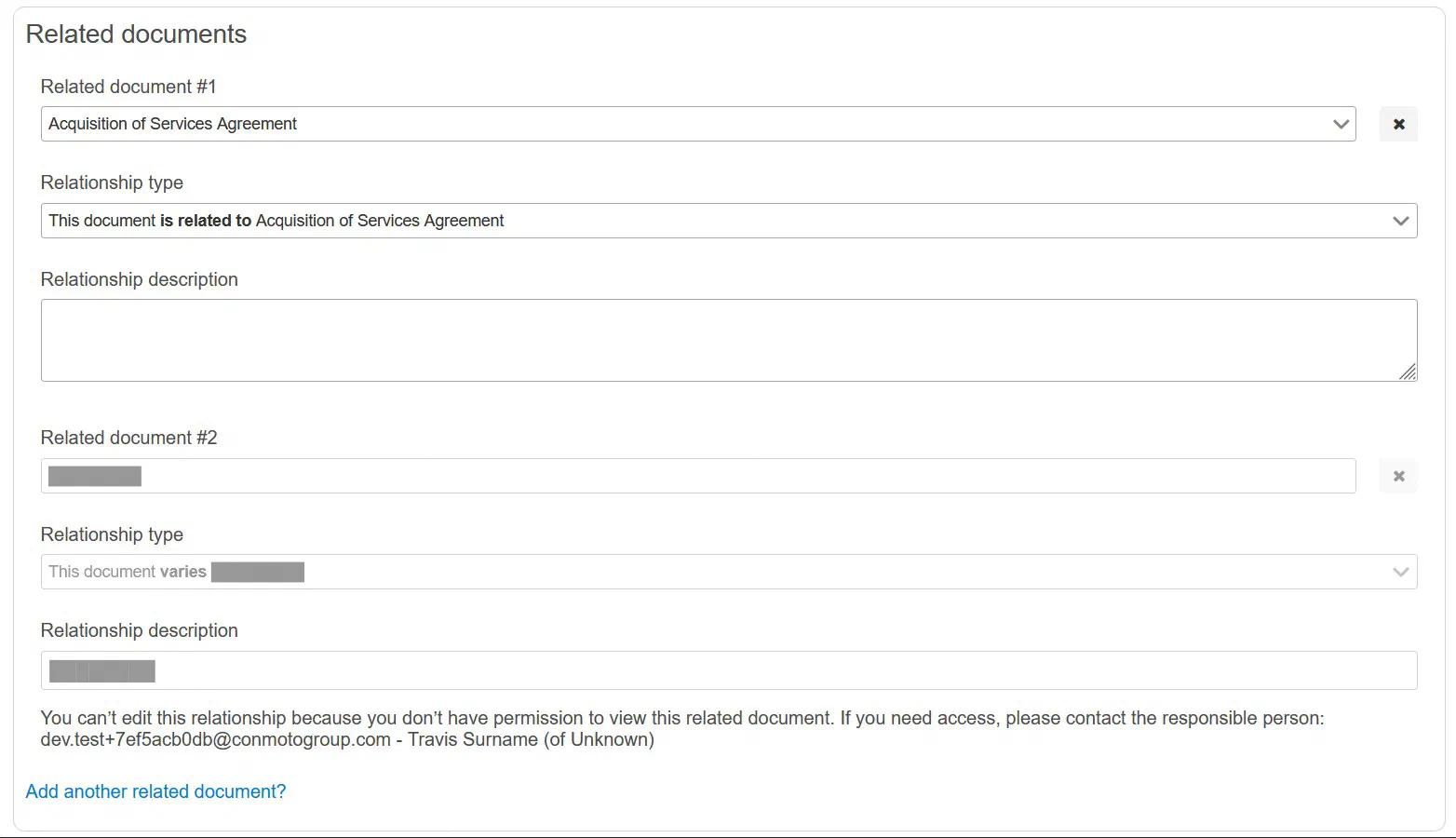
You can now add relationships between documents in Store & Track. For each related document, you can choose from a list for the type (and direction) of the relationship and optionally add a description of the relationship:
You can also add information about related documents when uploading a document for signing. The information about related documents will be available to approvers and signers (internal signers only) throughout the approval and signing processes.
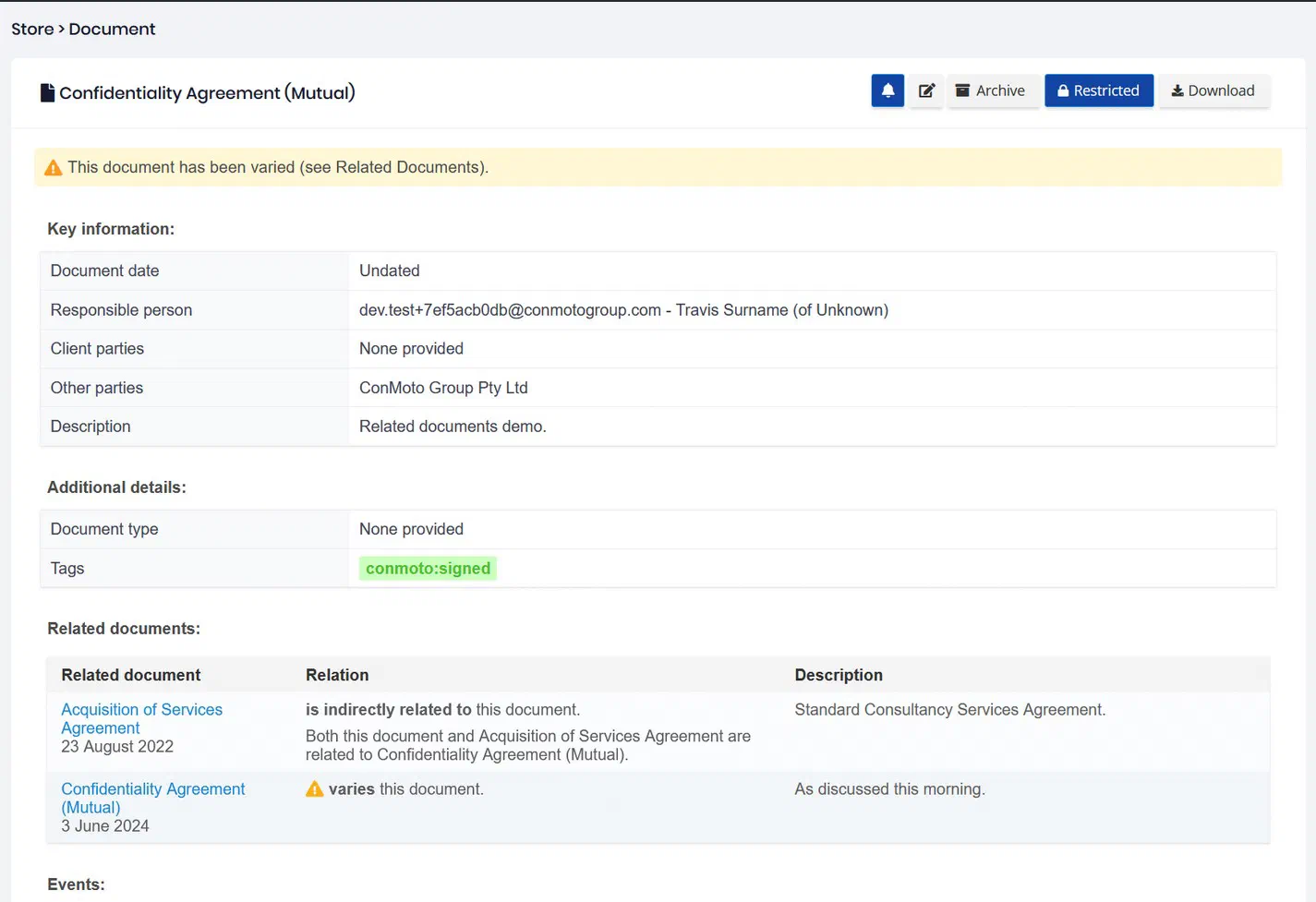
When viewing a document in Store & Track, you can now see a list of related documents and links to easily navigate between them:
[
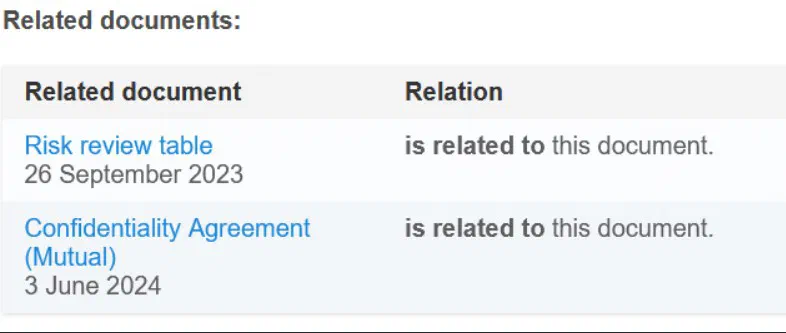
](/cadence/store-and-track/)
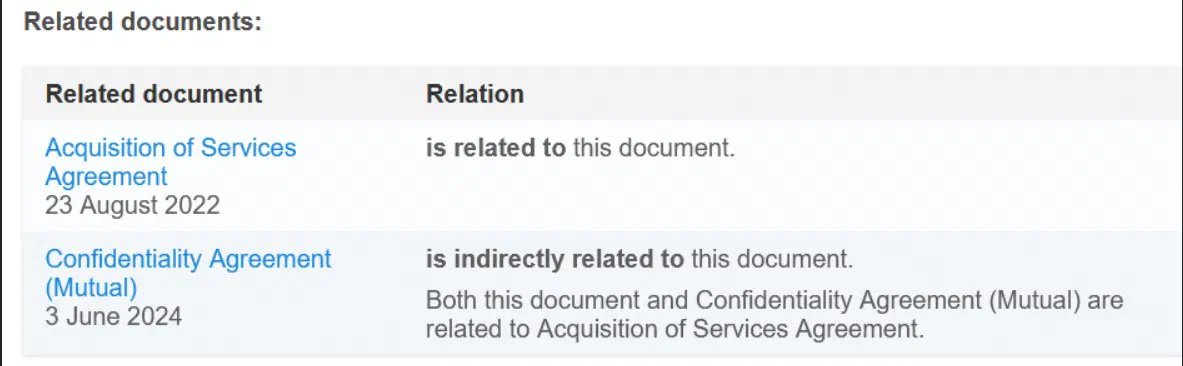
Beyond directly related documents, the related document table will also show users any documents that might be ‘indirectly related’ - i.e. when two documents are not directly related, but each share a common related document (e.g. Variation 1 and Variation 2 both vary a construction contract, so are indirectly related).
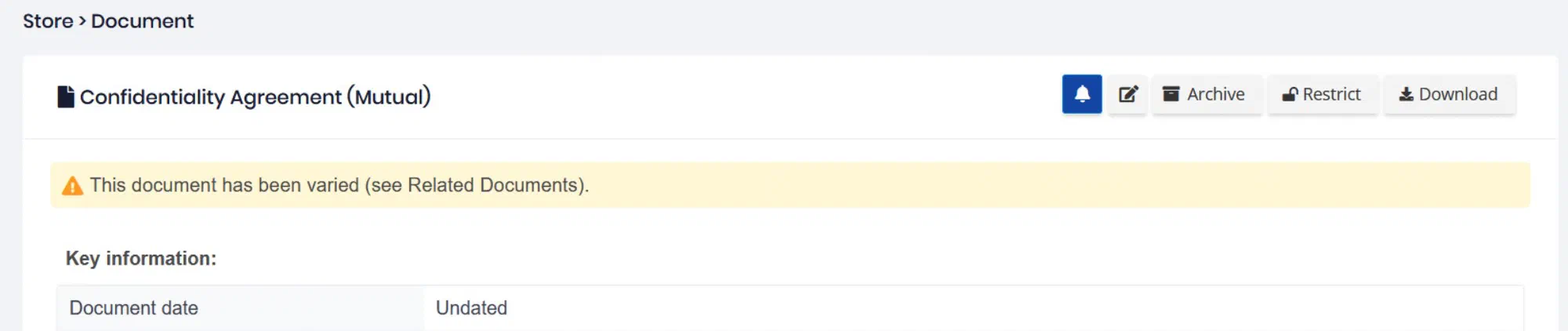
Certain types of relationships will also include warning icon/message, including if a document is amended, assigned, extended, modified, novated, renewed, superseded or varied by another. The warnings will show:
- next to a document in the Store & Track search results page:
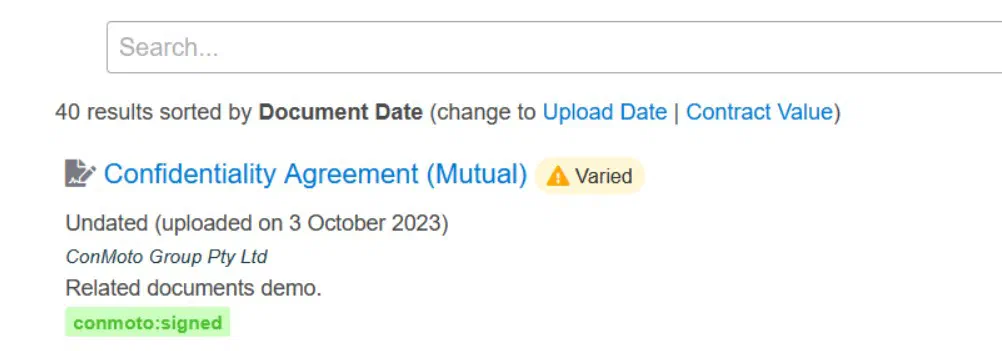
- at the top of the page when viewing or editing a document in Store & Track:
If a user has permission to view a document, but doesn’t have permission to view one of its related documents, the user will see a placeholder in the related documents table. The placeholder will include only enough information about the restricted document to allow the user to ask the responsible person about it. This limited information includes:\
- the type of relationship;\
- the document date; and\
- the name and contact details of the responsible person.
Highlight 2: A better experience when uploading new entries to Store & Track
Previously, after uploading a new document to Store & Track, a user would have to choose to edit the new entry to add additional metadata (e.g. Events).
Now, after uploading, the user is taken directly to the edit metadata page. We hope this is more convenient for users and makes it more likely users will provide metadata on upload.
Highlight 3: Store & Track looks better!
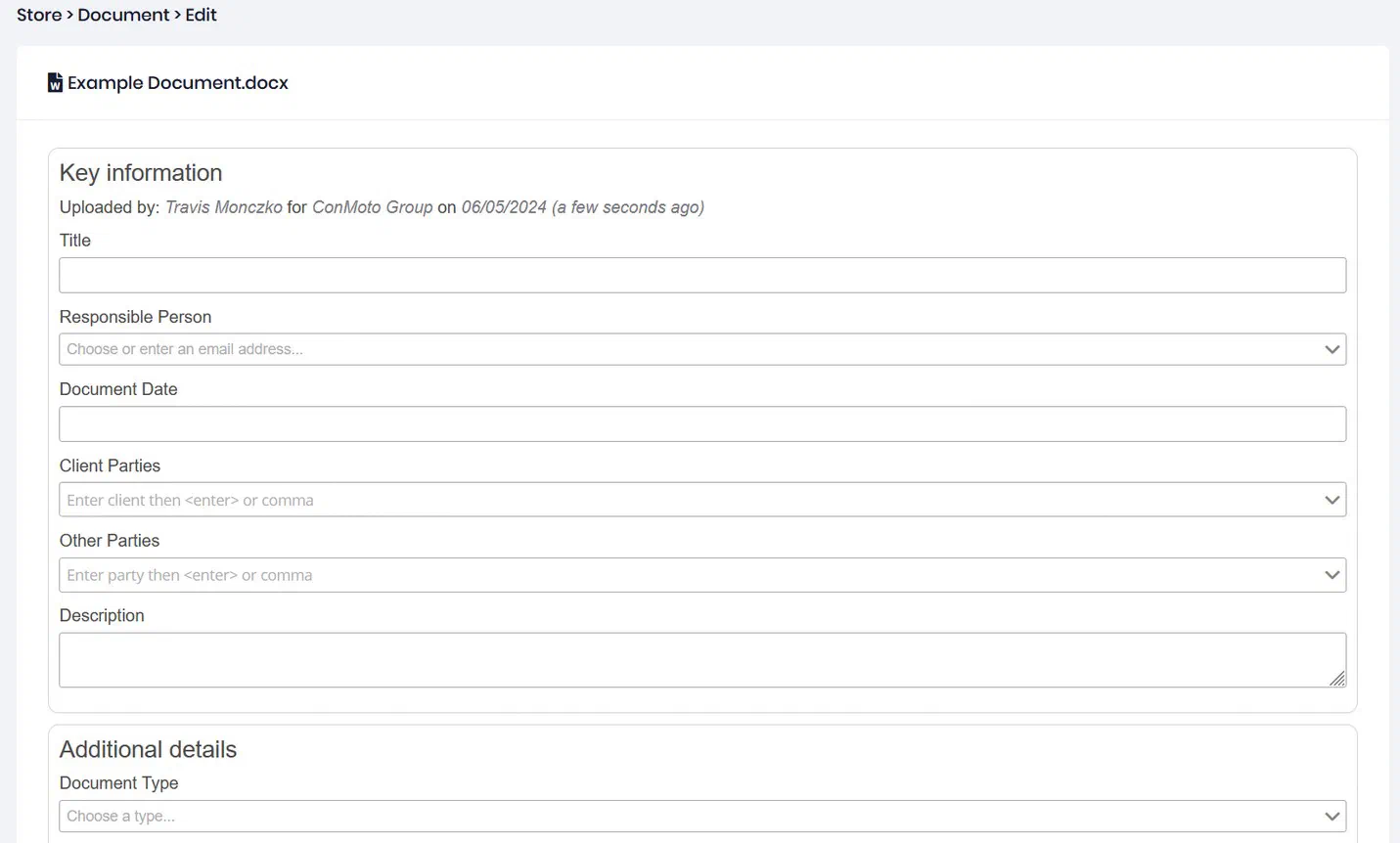
When viewing or editing document metadata, the fields are now grouped into new sections including ‘Key information’ and ‘Additional details’ to make the experience more similar to creating a new envelope in Sign.
It’s now also clearer which fields are required (‘Title’ and ‘Responsible Person’), which are recommended (‘Document date’ and ‘Document description’) and which are optional.